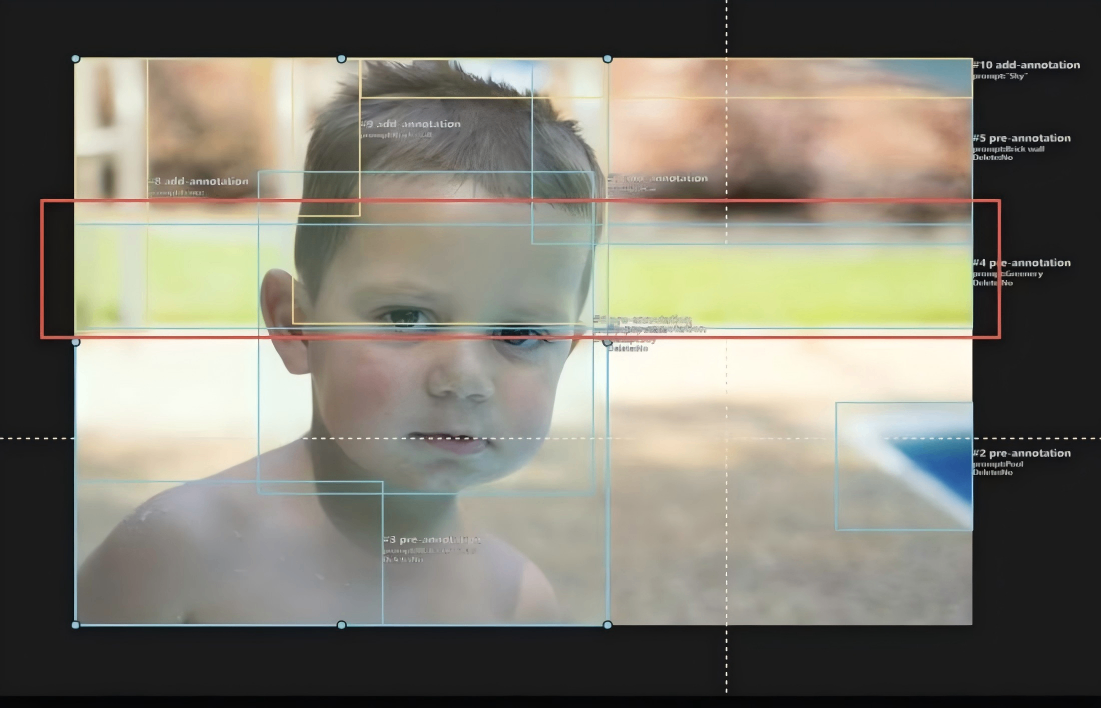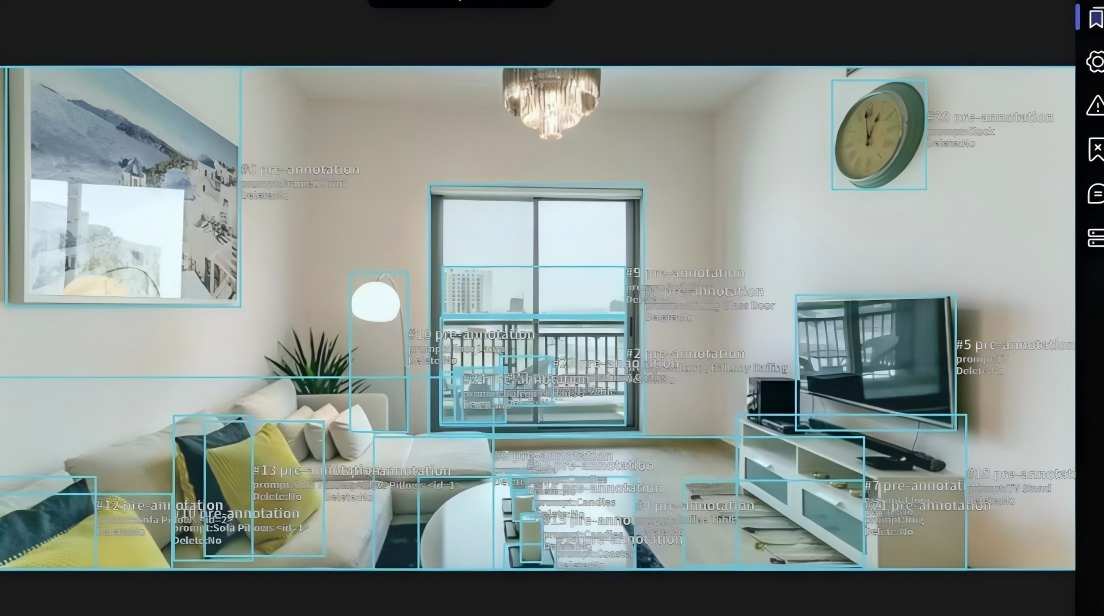
Project Core ObjectivesBased on foundational data with pre-annotated boxes (in blue), perform inspections and adjustments on target boxes, along with supplementary boxes for multiple object types. Output precise 2D bounding box annotation data that includes people, background objects, and text/logos, providing standardized training materials for computer vision models (such as object detection and scene recognition).
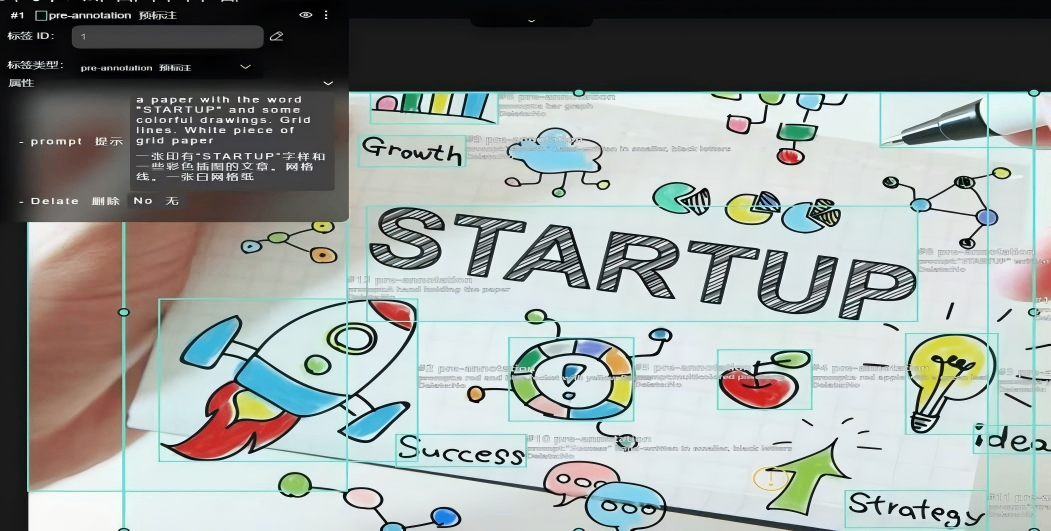
Project Core Rules and Workflow
Core Annotation Objects and Box Specifications
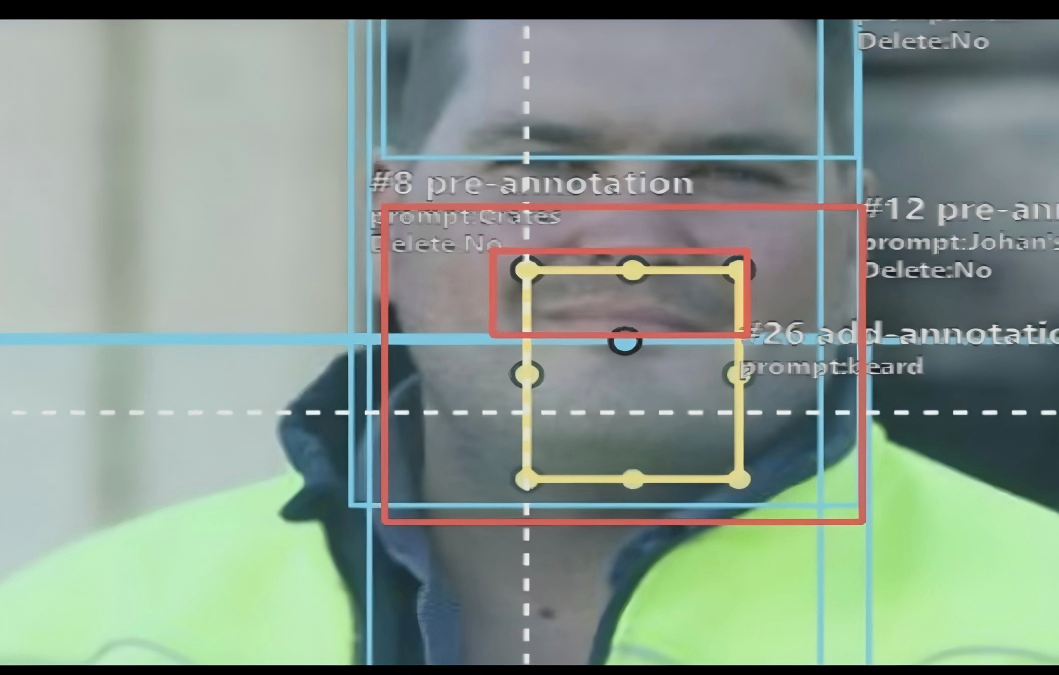
People and Background Objects: Annotate with yellow boxes.
Text/Logos: Annotate with green boxes.
Pre-Annotated Boxes (Blue): Inspect each one against the image content and adjust the box to tightly fit the target's outline.
Supplementary Box Objects + Box Colors:
Core Operational Workflow
People: Prioritize annotation.
Background Objects: Non-human physical entities in the scene.
Text/Logos: Textual or emblematic elements in the image.
Pre-Annotated Box Inspection and Adjustment:For all blue pre-annotated boxes, verify the label's match with the actual object and adjust the box's position/size to snugly fit the target.
Categorized Supplementary Boxes:After completing the pre-annotated box adjustments, add boxes for the three categories according to the rules:
Project DeliverablesAnnotated image data, including:
Adjusted blue pre-annotated boxes;
Newly added yellow boxes (for people/background objects) and green boxes (for text/logos);
-
Corresponding label information for each box.
Project ValueThrough standardized operations of "pre-annotated box optimization + categorized supplementary boxes," ensure the accuracy and completeness of the annotation data. This directly supports the training and iteration of multi-scenario visual algorithms (such as portrait recognition, scene content analysis, and text detection).